
Find work that fits
Describe your services. Narrow federal opportunities by agency, location, set-aside, or deadline.
 Gov Contract Finder for ChatGPT
Bring federal contract search into ChatGPT. Find relevant notices, look up contractors, and save the work worth pursuing.
Connect your free Gov Contract Finder account.
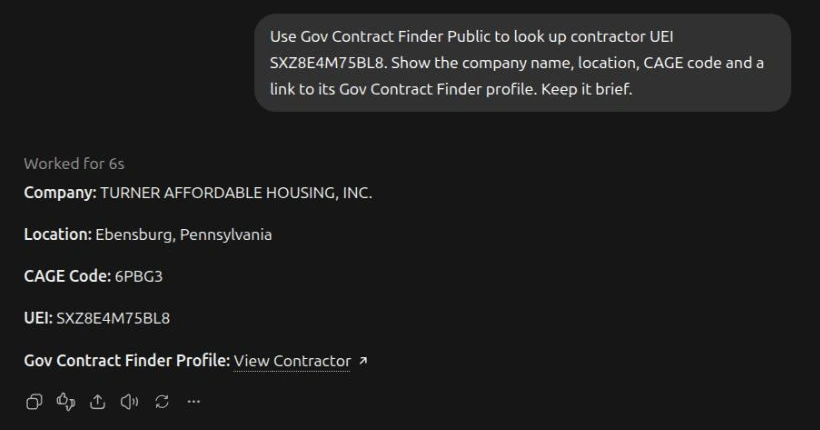
From a question to your next move
Describe your services. Narrow federal opportunities by agency, location, set-aside, or deadline.
Find contractors by name, capability, UEI, or CAGE. Review public company facts and recorded registration dates.
Ask to save an opportunity or its search. Pick it up in your connected workspace on the website.
Your research goes with you
Follow a result to its full notice or company profile. Search links carry your filters, so you can keep moving from the same place.
Explore federal opportunities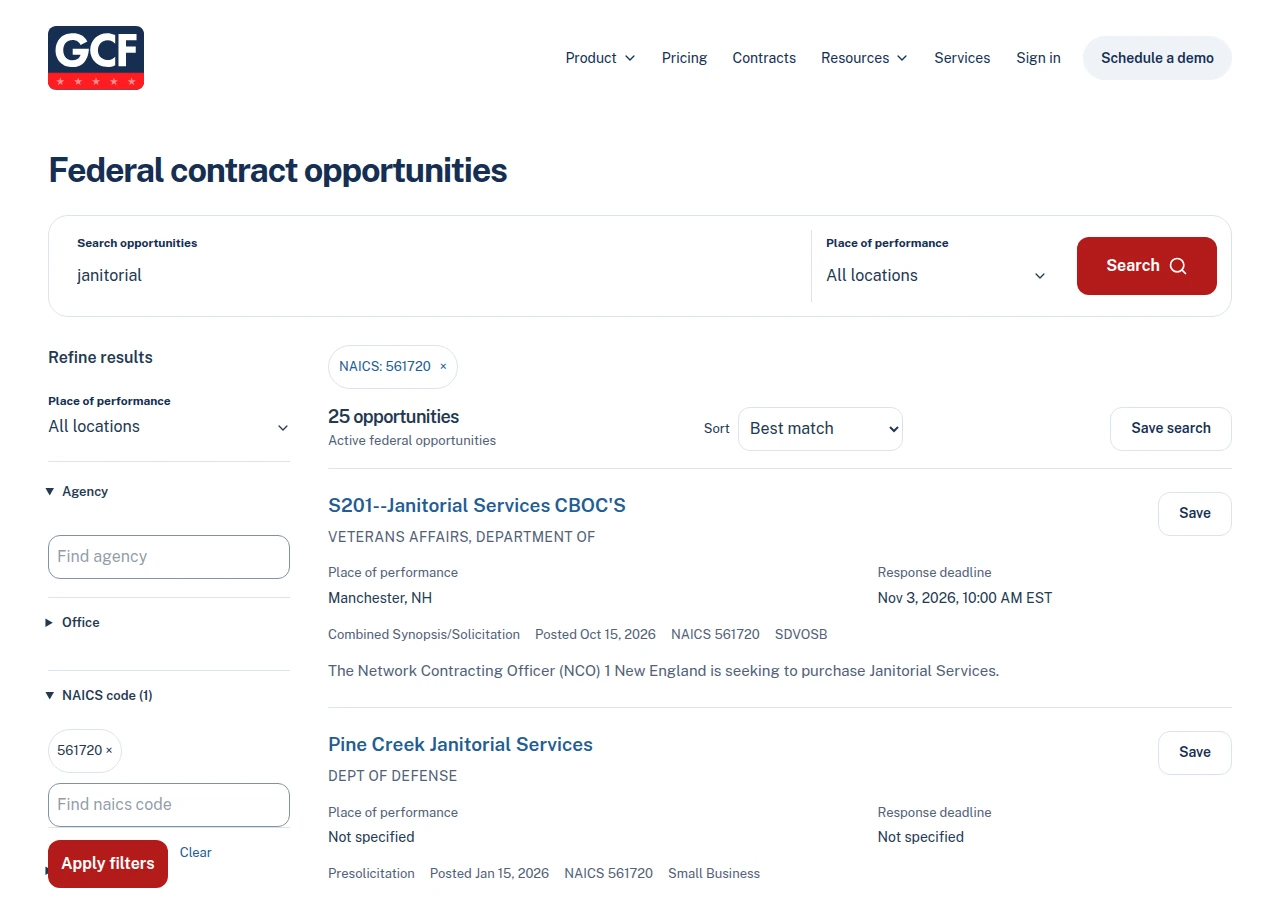
Start with a question
Connect once. Keep researching.
A free Gov Contract Finder account is required for every search and save.
Open ChatGPT Plugins, select the plus button, then Add custom MCP server. Name it Gov Contract Finder and paste the address below. Choose OAuth, then Create as a plugin.
Sign in to Gov Contract Finder, choose your workspace, and review access. Install your personal plugin if prompted.
Start a Work chat. Type @, select Gov Contract Finder, and describe the opportunities or companies you want to find.
Paste this address into your connection settings.
Sign-in: OAuth · Free account required
Available through custom setup. The public directory listing is not published yet. Managed workspaces may need an administrator to add the connection.
Create a free accountYes, when the original files are available and supported by your chat app. Ask about requirements or pricing forms and it can open the linked documents, read them, and cite the source. It will tell you when a file could not be read.
Revoke the public chat authorization in Dashboard → Integrations. Saved research stays in your workspace until you remove it. Use our Delete account page for deletion requests; manage previous conversations in ChatGPT or Claude.
Yes. Connect a free account before searching or saving. Your workspace’s existing save limits apply. ChatGPT and Claude have their own plan and workspace requirements for custom connections.
Federal opportunities sourced from SAM.gov and public contractor records. Search notices by service, agency, location, NAICS, set-aside, or response date. Find companies by name, capabilities, UEI, CAGE code, state, or NAICS.
Opportunities and opportunity searches are saved to the workspace you connect. Reopen them in chat or on the website with the same account. Saving a search keeps its filters and does not turn on email alerts. Contractor research is read-only.